NinjaWeb · cloud-management platform
Ninja Cloud Control

Ninja Cloud Control connects cloud provisioning, server-fleet operations and customer self-service through WHMCS.
Service to server.
- Product
- Mapped
- Provider
- Selected
- Region / OS
- Configured
01 / Provisioning and service control
From service setup
to server control.
Ninja Cloud Control brings provisioning, fleet operations and customer self-service into WHMCS. It connects each service’s configuration with its provider and managed server record.
Give the service a blueprint.
Connect WHMCS products with provider accounts, regions, plans and operating-system images, keeping configuration visible before an action.
Keep the fleet understandable.
Bring server status, resources and service context into a compact control view, with deeper checks available where they are needed.
Put controls with the customer.
Show service resources, power actions and a separate OS reinstall workflow inside the customer’s own service.
02 / The customer experience
Choose the server.
Control the service.
Try the connected location and operating-system demos below. Once a real service is active, its resources, power controls and reinstall workflow are available from the client area. The demos and designed previews use sample data.
Choose your server location.
Choose a location. Your selection carries through to the configurator below.
Try the location choices from the public VPS frontend. They update the deployment preview below.
Configure your VPS
Australia · Ubuntu 24.04 LTS
Sample configuration. No server is created.
Choose a location, OS family and example image version. These controls demonstrate the configuration flow.
Make the deployment choices explicit.
The configurator separates location, operating-system family and image version into clear steps.
Provisioning follows payment confirmation and approval; selecting a configuration is a separate stage.
View the public VPS frontend
The plan, CPU, RAM, storage and OS are shown together using an example service. Identifiers and billing values are omitted.
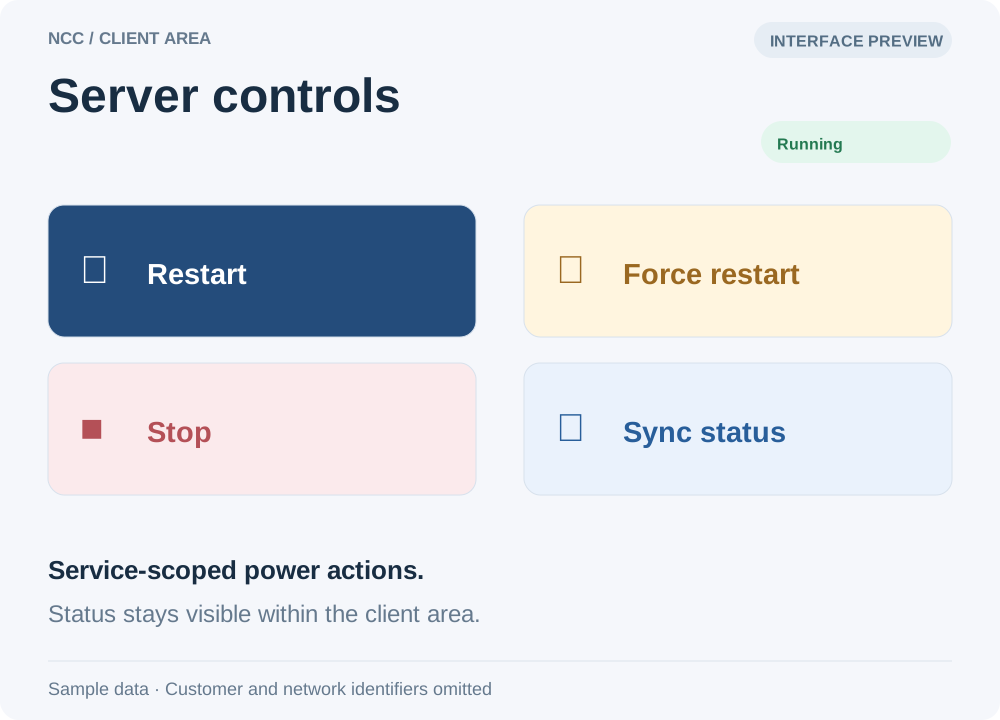
Restart, force restart, stop and status refresh are available within the service.
Control stays close to the service.
Customers can check their server’s resources and use service-specific power controls without entering the administrator dashboard.
Operating-system reinstallation is kept in a separate workflow, with its destructive effect clearly stated.
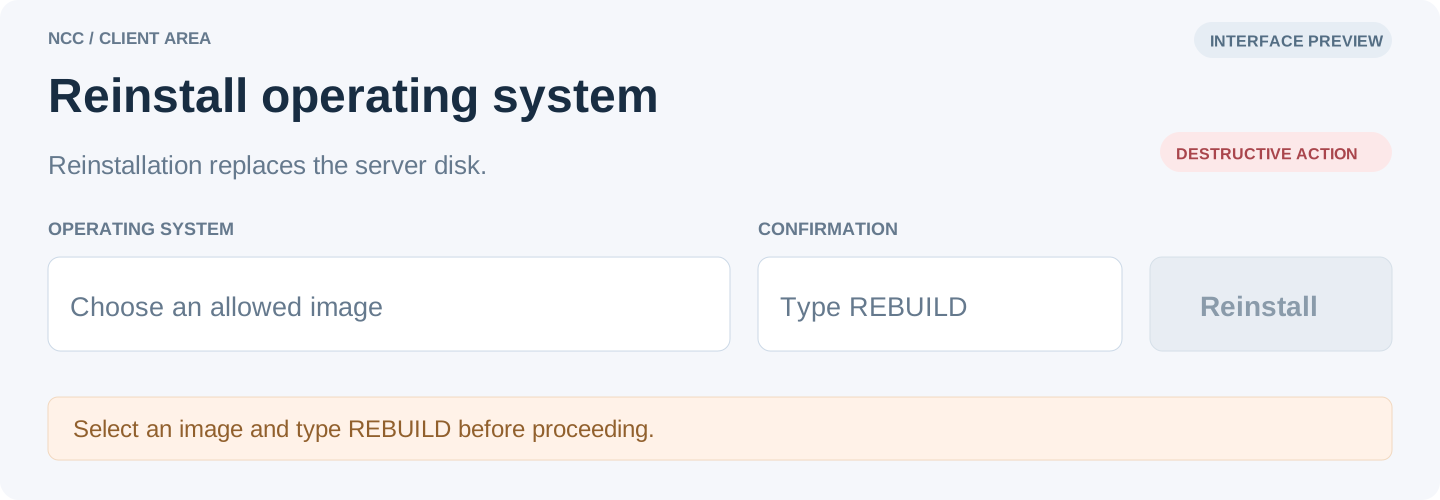
An allowed image and a typed REBUILD confirmation are required before reinstallation.
03 / The administrator workspace
Control, with context.
Designed interface previews based on the working system. Example records show the controls and verification states while keeping customer information private.
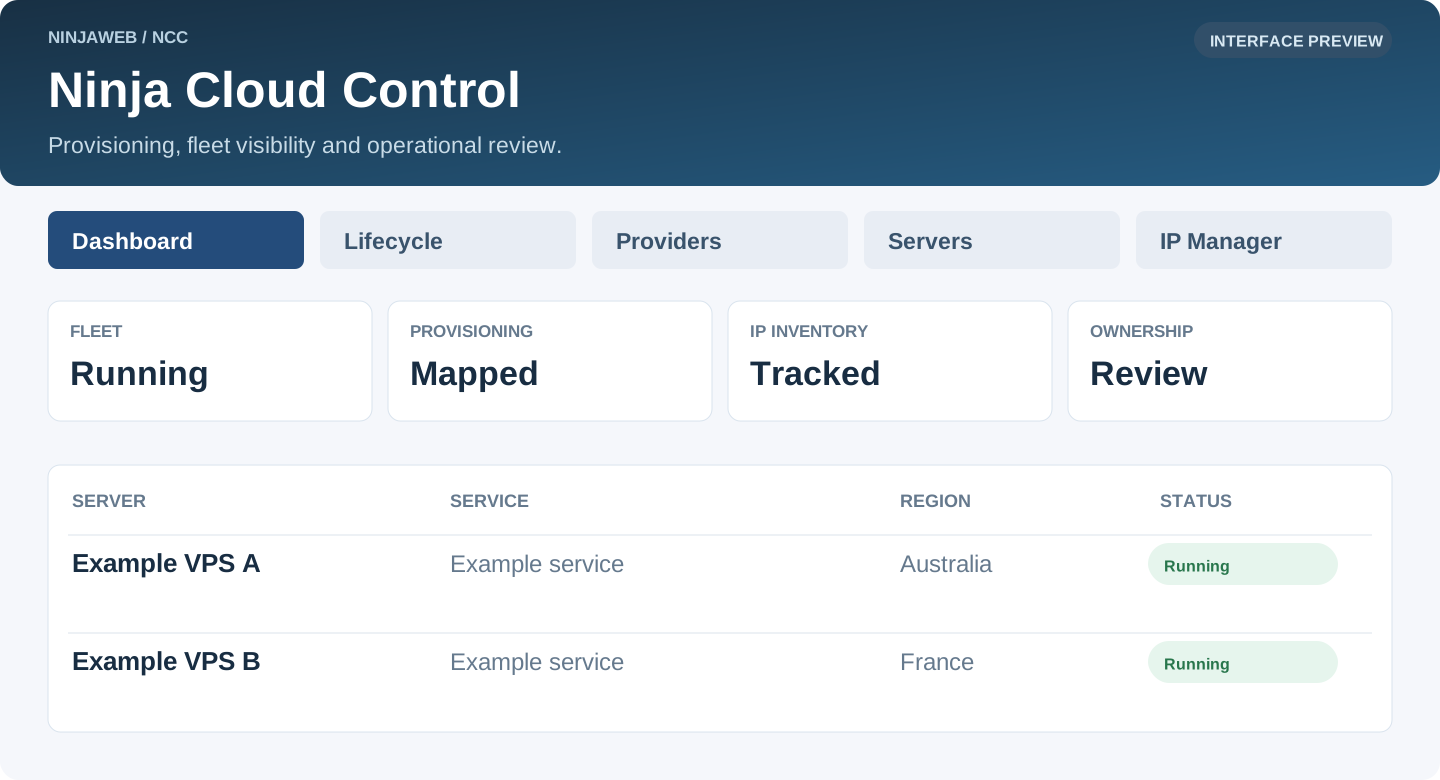
A shared entry point for lifecycle controls, providers, the server fleet and IP inventory.
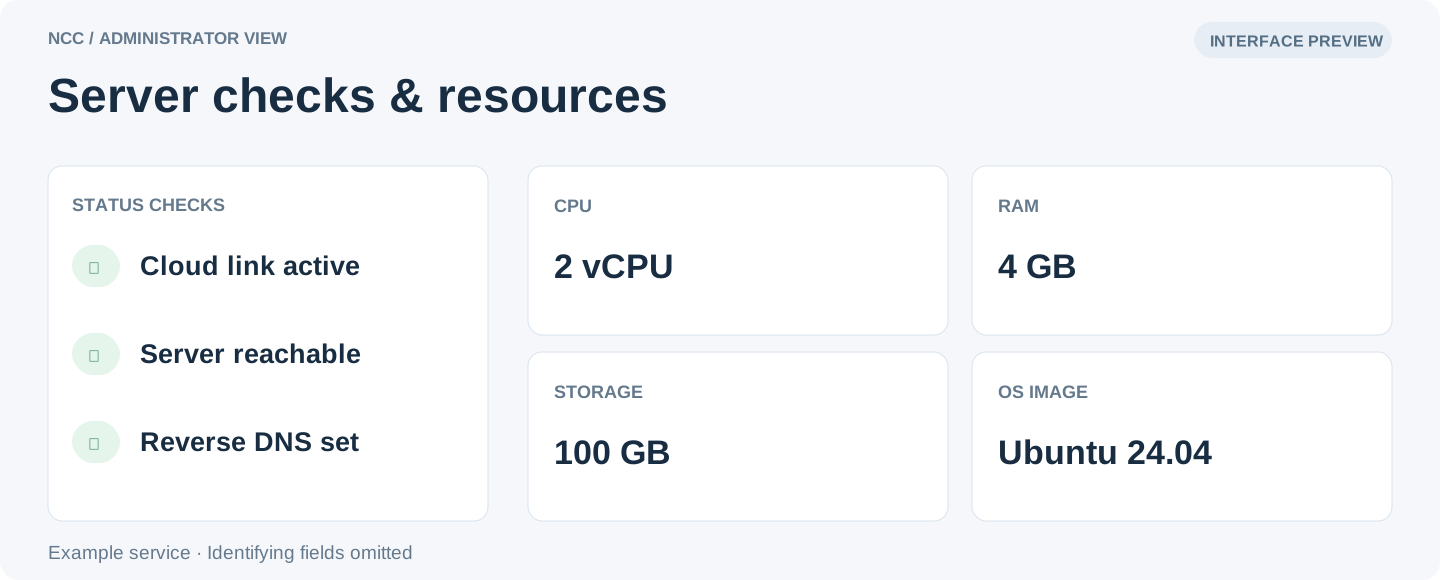
Connection checks and resource information can be read together, while identity and address fields stay out of this portfolio view.
NCC. From provisioning to operations.
A NinjaWeb cloud-management platform connecting WHMCS development, server provisioning, fleet operations and customer self-service.